
Alerts & Notifications
NetVigil's alerting system notifies you when new vulnerabilities are discovered in your attack surface. You control what triggers an alert and how you receive it.
How Alerting Works
Alerting is event-driven and fully decoupled from the scan pipeline:
- A scan discovers a new vulnerability or a change in severity
- The system evaluates the event against your organization's alert rules
- If a rule matches, a notification is created and delivered
Alert Rules
Alert rules are configured per organization by org admins. Navigate toSettings → Alerts to manage them. Each rule defines:
- Conditions — What triggers the alert (e.g., severity ≥ High, specific asset, new CVE)
- Delivery mode — How you want to be notified
Delivery Modes
Immediate Email
An email is sent as soon as a matching vulnerability is discovered. Best for critical or high-severity findings where you need to respond quickly.
Digest Email
Findings are collected and sent as a consolidated summary every 15 minutes. Best for medium/low severity findings or when you want periodic status updates.
Creating a Rule
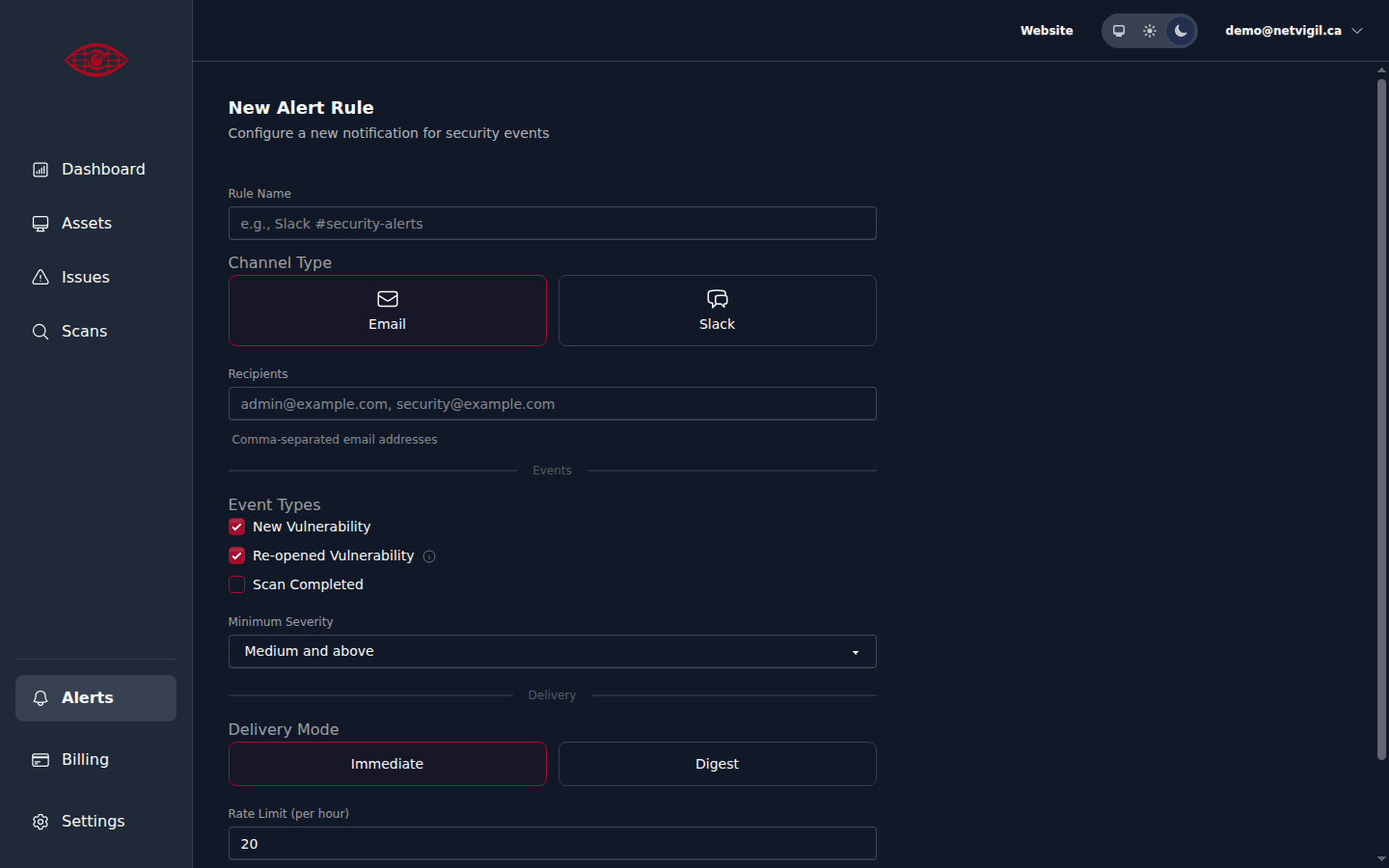
Click "New Rule" on the Alerts page to create a new alert rule. Configure the rule name, delivery channel (email or Slack), which event types to listen for, minimum severity threshold, and delivery mode:
Managing Alert Rules
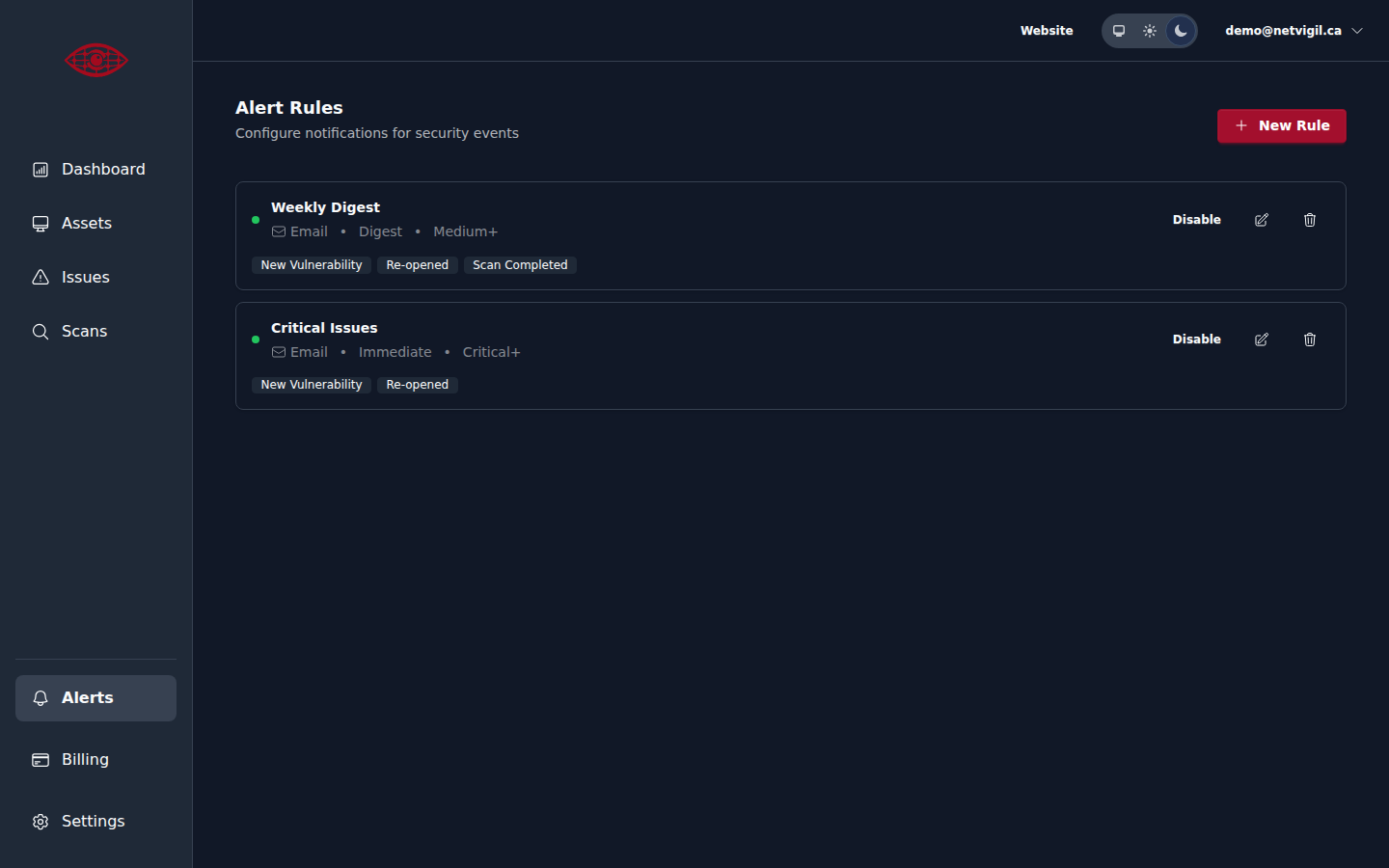
Org admins can create, edit, disable, and delete alert rules fromSettings → Alerts. There's no limit on the number of rules. Common patterns include:
- Immediate email for Critical findings on all assets
- Digest email for Medium and above on production domains
- Immediate email for any finding on a specific high-value asset
Rate Limiting
To prevent alert fatigue, the system applies rate limiting. If the same type of event fires repeatedly in a short window, you'll receive a consolidated notification rather than individual emails for each occurrence.